
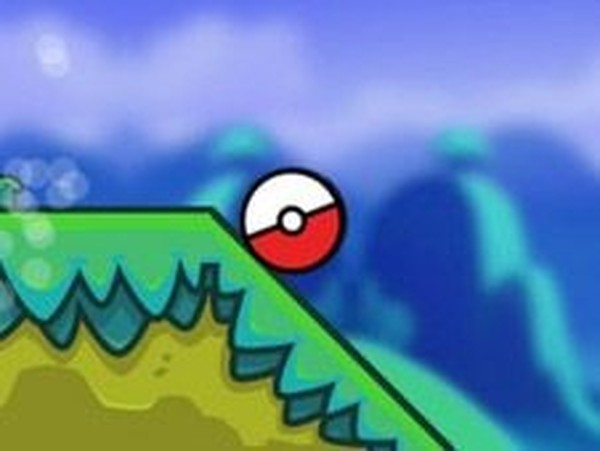
Guiding the Red Ball
In Crimson Sphere Adventure Run, the player's main job is to move a bright red ball from the start of each course to its end without falling into pits or colliding with hazards. Movement is handled with keyboard arrow keys or on-screen buttons, and the ball can jump. Controls respond quickly, so the challenge comes from timing jumps and reading the layout ahead rather than fighting the input. Later courses tighten the timing windows, asking for chained jumps and quick reactions as multiple obstacles appear together.
Course Hazards and Creature Encounters
Each stage arranges gaps, moving barriers, and small creatures in a distinct pattern. Falling into a pit or touching a hazard usually means restarting the section, so players learn to memorize layouts and plan a route. Some creatures can be defeated by landing on them from above, which adds a light strategic choice: jump over a threat or use it as a stepping stone. [IMG_1] The mix of static gaps and moving barriers means no two stages feel identical, and later courses combine several hazard types to test whether the player can string together precise leaps.
Tokens, Shop, and Cosmetic Skins
Shiny tokens are scattered across every course. Collecting them earns in-game currency that can be spent in a shop on new appearances for the red ball. These are purely visual changes, ranging from different colors to playful patterns, and they do not alter speed, jump height, or any other gameplay value. Because tokens are often placed near hazards or off the main path, gathering them gives players a reason to replay earlier stages and improve their collection without affecting difficulty balance.
Visual Style and Difficulty Progression
The game uses bright, cartoon-like graphics with a cheerful palette. Backgrounds shift from grassy fields to mechanical zones, and the red ball stays easy to track against each setting. [IMG_2] Stages are arranged in a linear order. Early courses introduce basic jumps and token collection at a gentle pace, while later stages combine multiple hazards and demand faster reactions. The difficulty curve builds naturally, so younger children and experienced players can each find a comfortable rhythm.






Editorial Notes