Advertisement
Lexicon Crafter Word Tile Game

Lexicon Crafter Word Tile Game

Developer: Boulder Pixel Studios
Updated: 2026-07-21
Word Letter Placement Vocabulary Building

Reviews

Lexicon Crafter delivers a polished word puzzle experience that is both accessible and strategically deep. The turn-based format encourages careful planning, especially when targeting bonus squares. Its clean interface and lack of intrusive ads make it a pleasure to play. While it lacks a solo mode, the two-player focus works well for families or friends looking for a friendly challenge. The use of a standard dictionary adds credibility, and the simple controls work smoothly on any device.

About This Game

Core Gameplay Loop

Lexicon Crafter presents a straightforward but deep challenge: each turn, you place letter tiles onto a grid to create valid words. The game uses a standard dictionary to verify your submissions, ensuring every word you form is legitimate. Points are awarded based on the letters used, with higher values for less common characters. This core loop of selecting, arranging, and submitting tiles forms the foundation of the entire experience.

Strategic Tile Placement

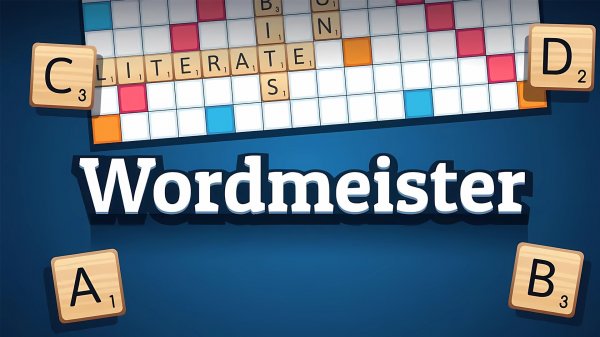
Beyond simply forming words, success in Lexicon Crafter depends on where you place them. The board contains colored squares that multiply the value of individual letters or the entire word. Blue squares double a letter's points, green squares triple them, while orange squares double the word score and red squares triple it. Planning your moves to land high-value letters on these multipliers is key to building a strong score.

Turn-Based Competition

Lexicon Crafter is designed for two players who take turns placing tiles. The game determines who goes first by randomly assigning a letter to each player; the one with the letter earliest in the alphabet starts. After each turn, the board updates, and players can see their current score and remaining tile count. The match continues until no tiles are left or neither player can form a word.

Accessible Controls and Interface

The game is built for ease of use on both desktop and mobile browsers. On a computer, you drag tiles with the left mouse button. On a touchscreen device, you simply tap and drag. A concise tutorial explains the basics when you start, and the interface shows your score, tile rack, and the number of tiles remaining. If you get stuck, you can swap letters, skip a turn, or shuffle your tiles for fresh possibilities.

Vocabulary and Learning Benefits

Regular play naturally expands your vocabulary as you encounter new words and learn to recognize patterns. The game encourages you to think about letter combinations and word structures, which can be especially helpful for language learners or anyone looking to sharpen their mental agility. Because it uses a standard dictionary, every word you learn is legitimate and useful.

Family-Friendly Design

Lexicon Crafter contains no inappropriate content, making it suitable for players of all ages. The visual style is clean and cheerful, with colorful bonus squares that add visual interest without being distracting. There are no hidden costs or advertisements that disrupt gameplay, allowing families to enjoy the experience together without concerns.

Compatibility

▸ Desktop: Chrome / Edge / Firefox / Safari
▸ Mobile: iOS Safari / Android Chrome
▸ Tablet: iPadOS Safari / Android Tablet Browser
Keep your browser updated for the best experience

Faq

Is Lexicon Crafter free to play on mobile devices?
Yes, Lexicon Crafter is completely free to play on both desktop and mobile browsers. There are no hidden fees or in-app purchases required to access any features. Simply open the game in your browser and start playing immediately.
Can I play Lexicon Crafter alone or only with another person?
Lexicon Crafter is designed as a two-player turn-based game. You can play against a friend or family member on the same device. The game does not currently include a single-player mode against an AI opponent.
What dictionary does Lexicon Crafter use to validate words?
The game uses the official Scrabble dictionary to verify that all submitted words are valid. This ensures that every word you form is recognized and accepted, adding an educational element to the gameplay.
How do bonus squares work in Lexicon Crafter?
Colored squares on the board multiply your score. Blue squares double the value of a single letter, green squares triple it, orange squares double the entire word score, and red squares triple the word score. Placing high-value letters on these squares can significantly boost your points.
What happens if I cannot form a word during my turn?
If you are unable to form a word, you have three options: swap your tiles for new ones, skip your turn entirely, or shuffle your current tiles to see if a different arrangement helps. These options give you flexibility when your rack is challenging.
Is there a time limit for each turn in Lexicon Crafter?
No, there is no time limit for each turn. Players can take as much time as they need to think about their word choices and plan their tile placement. This makes the game suitable for relaxed play and for players who enjoy careful strategy.

Comments

0 comments
U
User
Loading comments...

Similar Games