What players say
Classic Puzzle Challenge offers a satisfying blend of nostalgia and fresh puzzles. The drag-and-drop controls are responsive, and the lack of a time limit makes it a stress-free experience. With levels that start easy and become more challenging, it's a great way to sharpen your logical thinking. The game is free, works on mobile and desktop, and is suitable for all ages. Highly recommended for puzzle enthusiasts.
About this game
Game Introduction
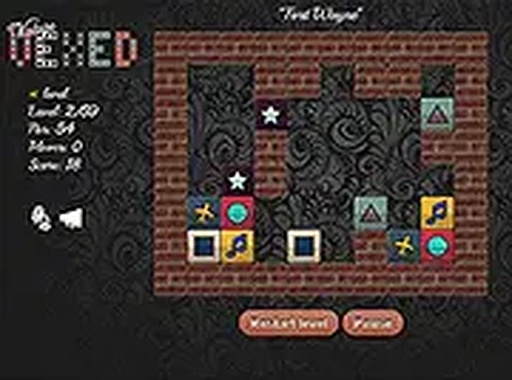
Classic Puzzle Challenge is a logic puzzle game that invites players to clear blocks from a board by moving similar pieces together. The core objective is to bring matching blocks into contact so they disappear, requiring careful thought and strategic planning. This browser-based game offers a nostalgic yet fresh puzzle experience, ideal for those who enjoy brain teasers and mental challenges. It belongs to the puzzle and thinking games category, providing a relaxing but mentally engaging activity suitable for all ages. The game starts with simple puzzles and gradually increases in difficulty, rewarding patience and logical reasoning.
How to Play
In Classic Puzzle Challenge, players typically drag blocks to empty spaces on the board. The goal is to bring matching blocks into contact so they disappear. Clear all blocks to complete each level. The game begins with easy puzzles and becomes more challenging, requiring careful planning. Controls are intuitive—use a mouse on desktop or touch on mobile devices. There is no time limit, allowing you to solve each puzzle at your own pace.
Game Features
This puzzle game includes new levels that offer fresh challenges while staying true to the classic gameplay. It features drag-and-drop controls that are responsive and easy to use. The game supports both mobile and desktop devices, and a full screen mode is available for a more immersive experience. It is completely free to play with no hidden costs, making it accessible to everyone.
Tips for Success
To excel in Classic Puzzle Challenge, take your time to analyze the board before making moves. Plan ahead to avoid getting stuck later. Try different strategies if a particular level seems difficult—sometimes a different approach can solve the puzzle. Practice regularly to improve your logical thinking and pattern recognition. The game rewards patience and careful planning, so don't rush.