Rugged Terrain Navigator
Reviews
Rugged Terrain Navigator succeeds in making simple driving feel engaging through varied ground conditions. The free exploration mode offers a relaxing way to enjoy the environment, while challenge mode provides structured goals with meaningful progression. Unlockable vehicle skins and a global ranking system add replay value without overwhelming the core experience. The camera tool is a nice touch for capturing memorable moments. For a browser game, the terrain simulation feels surprisingly responsive.
About This Game
Terrain Types and Vehicle Response
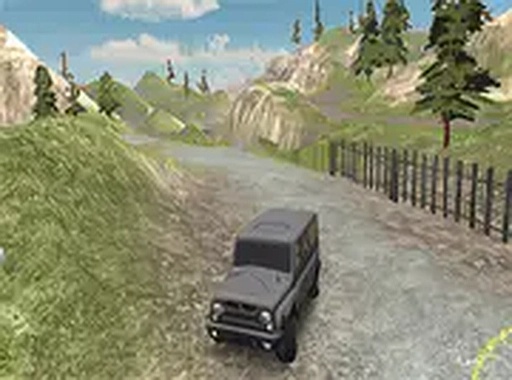
Rugged Terrain Navigator presents a variety of natural surfaces that affect how the vehicle moves. Rocky stretches demand careful steering to avoid getting stuck. Soft soil sections reduce traction, requiring gradual acceleration rather than sudden speed. The vehicle model reacts to these conditions with realistic weight shifts and wheel slip. Players quickly learn to read the ground ahead and adjust their approach accordingly.
Two Distinct Play Styles
The game offers two separate ways to experience the environment. Free exploration mode removes all time pressure and objectives, letting players drive wherever they wish across the landscape. This mode works well for learning the handling characteristics of the vehicle and discovering scenic viewpoints. Challenge mode introduces structured tasks with specific targets. Each set of objectives comes with its own theme and difficulty rating. Some tasks require reaching marked locations, while others demand completing a route within a set time.
Progression Through Accomplishments
As players complete objectives in challenge mode, they earn points that unlock alternate visual designs for their vehicle. These cosmetic options change the appearance without affecting performance. The game tracks all completed tasks and displays them in a list, giving players a clear sense of progress. For those who enjoy measurable improvement, the global ranking system shows how individual times and scores compare with other players worldwide.
Built-In Camera and Sharing Options
A camera tool is available during gameplay, allowing players to capture screenshots of their current view. This feature works well for documenting successful runs, scenic locations, or unusual moments. Captured images can be saved locally or shared with others. The tool is simple to activate and does not interrupt the driving experience.
Accessibility and Technical Details
Rugged Terrain Navigator runs directly in a standard web browser without any downloads or installations. A full-screen option is available for a more focused view. Controls use standard keyboard keys for steering, acceleration, and braking. The interface is straightforward, with clear menus for selecting modes and viewing rankings.