
Merging Units and Building Your Force
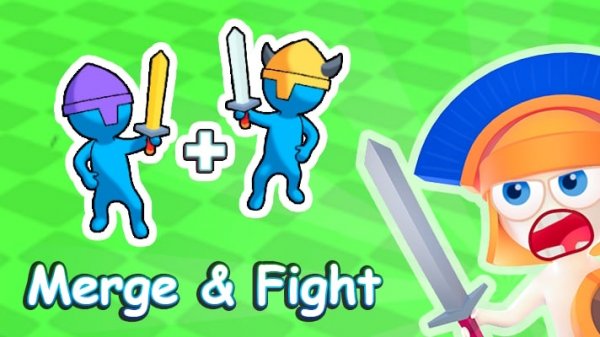
The central action in Unite and Overcome Tactical Merge is simple: drag one unit onto an identical unit to produce a stronger version. You begin with basic fighters bought using in-game currency, and each successful merge opens access to advanced warriors, better equipment, and special abilities. Different merge paths lead to distinct unit types, so deciding which combinations to pursue shapes the army you bring to each fight.
Battlefield Objectives and Deployment
Every encounter places a set of enemy forces and defensive structures in front of you. Your job is to neutralize all of them. Upgraded units hit harder, but the order you deploy them and the timing of merges during a battle often matter as much as raw power. Later stages introduce tougher adversaries, which makes careful planning and currency management more important than quick clicking.
Visual Clarity and Browser Accessibility
A colorful, cartoon-like art style keeps unit types easy to tell apart, and icons plus animations clearly signal when a merge is possible. The interface stays uncluttered even during busy battles. Controls are limited to drag, drop, and tap, so the game runs on both desktop and mobile browsers without any download. That low barrier suits players of any age, while the underlying tactical choices give planners something to think about.
Progression and Unlockable Content
Advancing through battles unlocks new character classes, equipment sets, and special abilities. These additions change how you approach encounters: some units excel at breaking through defenses, while others provide support or area effects. Equipment further customizes individual units, allowing tailored strategies. The steady arrival of new content keeps the merge-and-fight loop from growing stale and encourages repeated play to find all available combinations.




Editorial Notes