Advertisement
Circular Design Studio

Circular Design Studio

Developer: Blood Veil Digital
Updated: 2026-07-20
Puzzle Arcade Creative

Reviews

Circular Design Studio succeeds by removing all barriers to creative expression. The instant feedback loop between finger movement and pattern generation is deeply satisfying. Its strength lies in its simplicity: no tutorials, no pressure, just pure creation. The color palette is generous, and the ability to adjust brush size adds depth. It is an excellent choice for anyone seeking a quiet, meditative activity that produces beautiful, shareable results.

About This Game

Core Creative Process

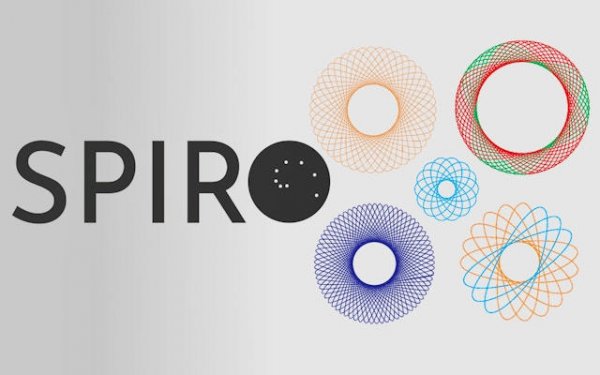
This application turns basic input into elaborate, mirrored designs. As you move your finger or mouse across the screen, the software replicates your strokes around a central point, forming intricate radial patterns. The focus is on the act of making art, not on achieving a specific goal. There are no scores, timers, or levels to complete. This open-ended approach lets users of any skill level produce visually interesting results from the very first interaction.

Color and Brush Flexibility

A wide selection of colors is available, allowing for layered compositions and gradual shading. Users can switch between different brush widths to add fine details or bold, sweeping lines. The interface responds instantly to changes, so you can see how each adjustment affects the overall design. This immediate feedback encourages playful experimentation without any pressure to plan ahead.

Mindful Engagement

The repetitive, flowing motion required to create these patterns can be a calming activity. Many find it helps reduce daily stress by providing a focused, low-effort task. The process is similar to doodling, but with the added satisfaction of seeing perfectly balanced shapes emerge. This makes it suitable for quick breaks or longer, more deliberate creative sessions.

Unique Results Every Time

Because the output depends entirely on your specific movements, no two sessions produce the same artwork. Even small changes in speed or direction create noticeably different patterns. This variability keeps the experience fresh and encourages users to try new approaches. Finished pieces can be saved or shared, allowing for a personal gallery of one-of-a-kind digital creations.

Compatibility

• OS: Windows 10+, macOS 11+, iOS 14+, Android 10+
• Browsers: Chrome 100+, Safari 15+, Edge 100+, Firefox 100+
• Not compatible with Internet Explorer
Tested on real devices ✅ works as expected

Faq

Can I save my artwork created in Circular Design Studio?
Yes, the application typically includes a save function that stores your finished patterns as image files on your device. This allows you to build a personal collection or share your favorite designs with friends and family through standard sharing options.
Does Circular Design Studio require an internet connection to work?
No, the core drawing functionality operates offline. You can create patterns without an active internet connection. However, features like saving to cloud services or sharing on social media platforms may require connectivity.
Is Circular Design Studio suitable for young children?
Yes, the simple touch-based controls and lack of complex rules make it accessible for children. The bright colors and immediate visual feedback can be engaging for younger users, and the non-competitive nature makes it a safe creative outlet.
What devices support Circular Design Studio?
The tool is designed for devices with touchscreens, such as smartphones and tablets, as well as computers with a mouse or trackpad. It works on major operating systems including iOS, Android, Windows, and macOS, depending on the version you download.
Can I adjust the symmetry settings in Circular Design Studio?
Some versions may offer options to modify the number of reflection axes or the rotation angle. This allows you to control how many times your strokes are mirrored, changing the complexity and style of the resulting pattern.
Does Circular Design Studio include any in-app purchases or ads?
This depends on the specific distribution platform. Many versions are offered as a free download with optional upgrades for additional color palettes or brush types. Ads may appear in free versions, but premium versions often remove them.

Comments

0 comments
U
User
Loading comments...

Similar Games