What players say
MemoryWala is a well-made memory game that offers a good balance of relaxation and mental exercise. The progressive difficulty keeps it interesting, and the simple controls make it accessible for everyone. It is a great way to pass a few minutes while training your brain, and the lack of ads or distractions is a plus.
About this game
Game Introduction
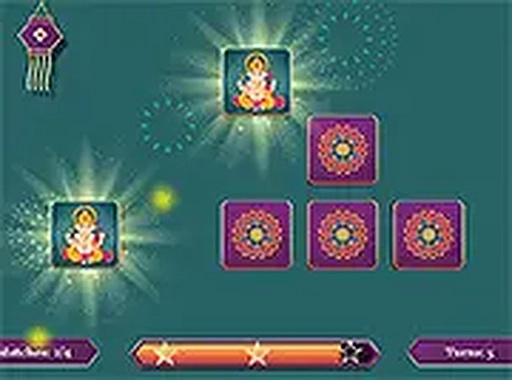
MemoryWala is a delightful card tile matching game that puts your memory to the test. The concept is simple: flip over tiles and find matching pairs. As you advance through the levels, the challenge increases, making it a perfect way to keep your mind sharp. Whether you are a kid or an adult, this game offers a relaxing yet engaging experience. It is available for free and runs directly in your browser, so there is no need to download anything. You can play it on your desktop or mobile device, making it easy to enjoy anytime, anywhere. The game is designed to be family-friendly and safe for all ages, with no violent or inappropriate content.
How to Play
Playing MemoryWala is straightforward and intuitive. Start by clicking or tapping on a card tile to flip it over and reveal the image. Then, try to find its matching pair by flipping another tile. If the two tiles match, they stay face up. If not, they flip back over, and you need to remember their positions for future attempts. The game begins with a few tiles, making it easy to start, but as you progress through the levels, more tiles are added, increasing the difficulty. The goal is to match all pairs in the fewest moves possible. You can play in full screen mode for a more immersive experience.
Game Features
MemoryWala offers several features that make it a great choice for casual gaming. It is family-friendly with no downloads required. The game is compatible with both mobile and desktop devices. Progressive difficulty keeps the challenge fresh, and full screen mode enhances the experience.
Tips for Success
To improve your performance in MemoryWala, focus on memorizing the positions of tiles as you flip them. Try to flip tiles in a systematic order, such as left to right, to avoid confusion. Practice regularly to enhance your concentration and recall speed. Taking short breaks between levels can help maintain focus.